
HP Latex 630W Print and Cut Plus
The HP Latex 630 Print and Cut Plus Solution is a 64-inch (1,630 mm) integrated print-and-cut system combining the HP Latex 630 roll-to-roll printer with the HP Latex 64 Plus cutting plotter. It produces up to 35 m²/hr (377 ft²/hr) in draft mode and up to 14 m²/hr (150 ft²/hr) in standard 6-pass production mode using water-based HP 832 Latex inks in 1-litre cartridges. The integrated HP Latex 64 Plus cutter applies up to 600 grams of downforce and cuts at up to 113 cm/sec diagonal with ±0.1 mm repeatability, handling media from 0.05 to 0.25 mm thick. The system delivers a contour-cut workflow for stickers, decals, vehicle graphics, window graphics, and point-of-sale material without requiring a separate cutting plotter. HP SAi Flexi Print and Cut software is included. Sold and serviced in South Africa by Graficomp, an HP Amplify Commercial Specialist and certified HP ASDP service partner.
The HP Latex 630W Print and Cut Plus Solution adds a dedicated white ink channel to the integrated 64-inch print-and-cut system, enabling contour-cut window graphics, clear substrate decals, backlit film with white underflood, and dark-substrate vehicle livery — all printed and cut in one workflow. A ninth cartridge (HP 832 White Latex Ink) and a sixth printhead (HP 836 White) are added to the standard eight-colour configuration. HP's Automatic Ink Recirculation System keeps white ink in continuous circulation, preventing settling during idle periods. Four white print modes cover Spot, Underflood, Overflood, and 3-Layer up to 260% ink density. All other speeds, cut performance, certifications, media handling, and support arrangements match the standard 630 Print and Cut. Sold and serviced in South Africa by Graficomp, an HP Amplify Commercial Specialist and certified HP ASDP service partner.
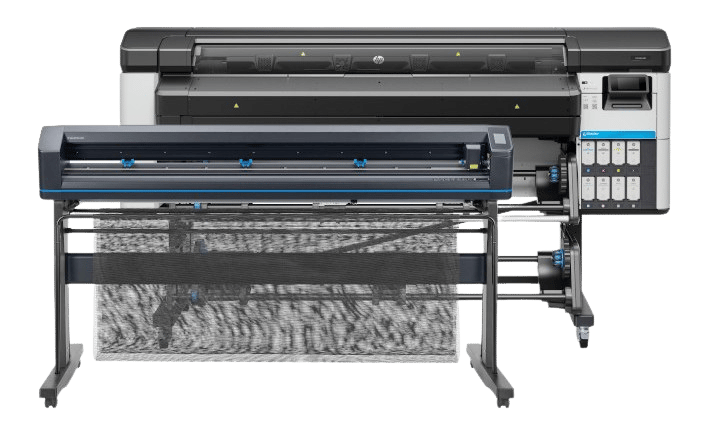
HP Latex 630 Print and Cut Plus Solution — integrated printer and cutter for contour-cut decals, stickers, and vehicle graphics with water-based HP 832 Latex inks
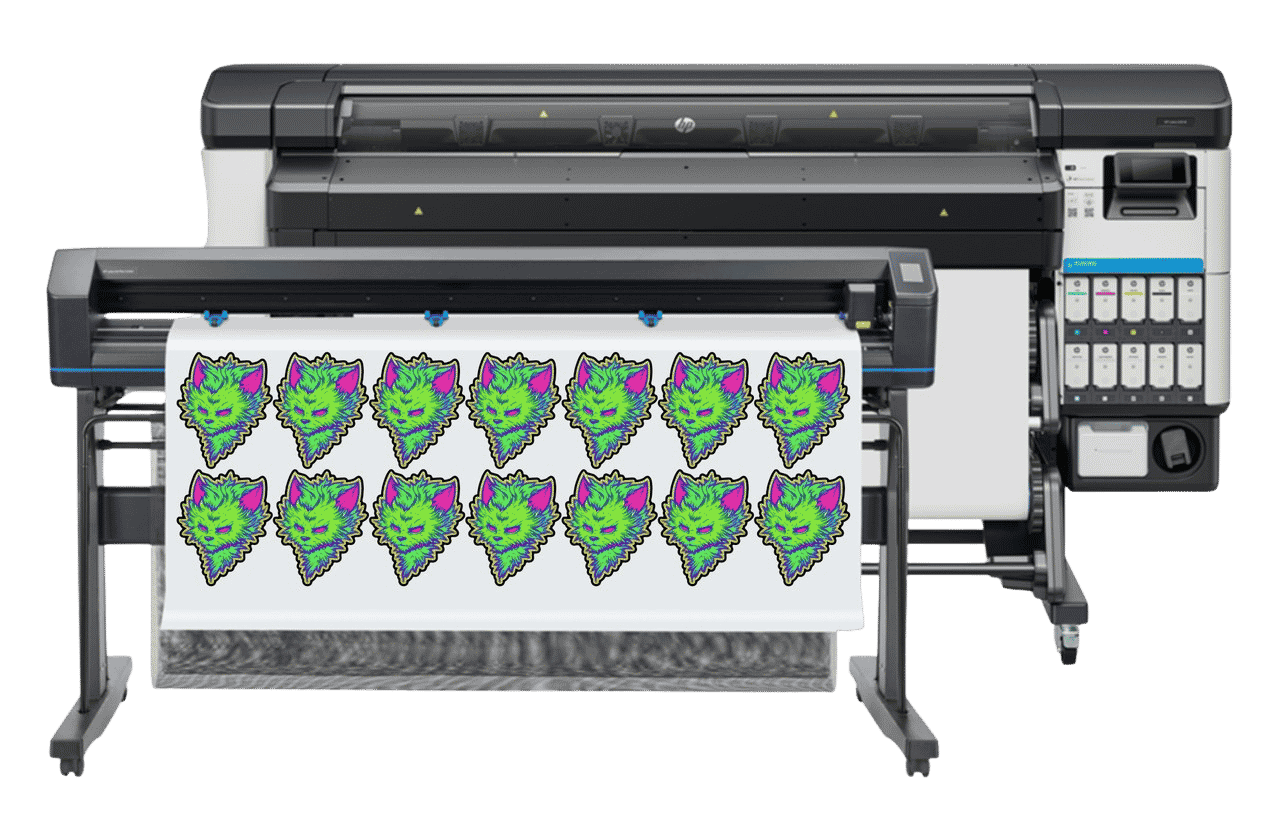
HP Latex 630W Print and Cut — 9 cartridges including white, 6 printheads, Automatic Ink Recirculation System, HP Latex 64 Plus integrated cutter
Why the Print and Cut System Delivers More Per Shift
Integrated print-and-cut reduces workflow friction, floor space, and the time between design approval and finished product. These are the operational advantages that compound over a year of production.
Print and Cut in One Workflow
Send a job from your RIP, and the system prints then passes media to the cutter automatically. No manually re-registering cut files, no transferring rolls between machines. The HP SAi Flexi Print and Cut software handles contour registration from the same interface you use to print.
±0.1 mm Cut Repeatability
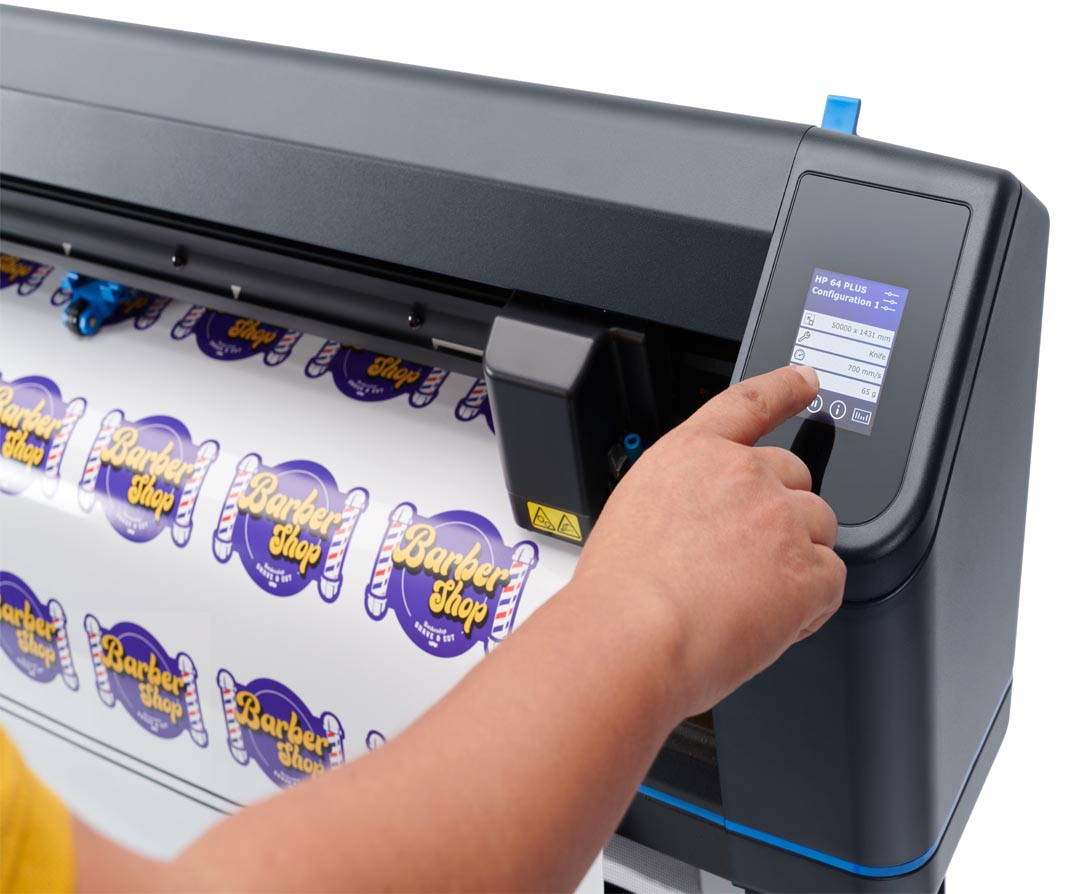
The HP Latex 64 Plus cutter delivers ±0.1 mm repeatability and up to 600 grams of adjustable downforce. TurboCut and Tangential emulation modes handle vinyl, clear films, and label stock at up to 113 cm/sec diagonal cut speed without overcut or bleed.
Lower Ink Cost Than UV
Water-based HP Latex inks cost less per ml than UV-curable alternatives. Prints exit dry and ready for immediate lamination — no outgassing wait. For operations that laminate same-day, effective throughput differences vs eco-solvent are smaller than headline comparisons suggest.
User-Replaceable Printheads
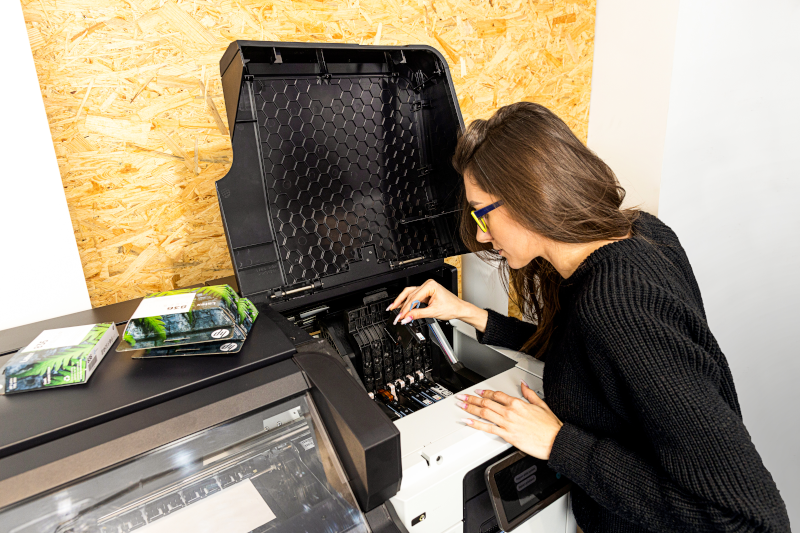
Head strikes happen in production. On HP Latex, replacing a printhead takes under 10 minutes and requires no engineer on site. You order the head, install it yourself, and you are back in production the same day — no technician wait, no downtime billing.
Textile and Fabric Capable
When you need it, HP Latex prints on coated polyester, backlit textile, canvas, and synthetic blends with a liner. Soft-signage, exhibition backdrops, and interior display fabric are revenue streams the same machine handles alongside your cut-vinyl work.


What Our Clients Say
South African print businesses on working with Graficomp.
The installation team was on-site the same week. They didn't leave until we were producing at quality. That level of service is rare in this industry.
We moved from an eco-solvent setup with a separate cutter. Having everything integrated removed a whole bottleneck — our decal turnaround went from two days to four hours.
Graficomp recommended the Print and Cut over buying a separate printer and plotter. Same footprint, one support contract. Two years in, that was the right call.
The training Graficomp provided on the RIP workflow meant we were contour-cutting accurately on day one. No guesswork on registration marks, no wasted rolls learning.
Print Speeds and Cut Performance
The HP Latex 630 Print and Cut combines the full print speed range of the HP Latex 630 with high-speed contour cutting from the HP Latex 64 Plus cutter. Both components operate independently in the same footprint.
Print Speed Transparency
All speeds are measured on self-adhesive vinyl at standard operating temperature. Eco-solvent headline speeds exclude outgassing time — HP Latex prints are finishing-ready immediately. For shops laminating same-day, effective throughput differences are smaller than headline comparisons suggest.
| Print Mode | Speed (m²/hr) | Speed (ft²/hr) | Pass Count | Typical Use |
|---|---|---|---|---|
| Max Speed / Draft | ~35 m²/hr | ~377 ft²/hr | 2-pass | Proofing, internal signage, short-lifespan output |
| Standard | ~14 m²/hr | ~150 ft²/hr | 6-pass | Production standard — outdoor vinyl, banners, POS |
| Quality | ~11 m²/hr | ~118 ft²/hr | 8-pass | Fine-detail graphics, brand-critical output |
| High Saturation | ~7.7 m²/hr | ~83 ft²/hr | 12-pass | Vivid colour on challenging substrates |
| Backlits and Textiles | ~6.6 m²/hr | ~71 ft²/hr | 14-pass | Backlit film, coated textile, canvas |
HP Latex 64 Plus Cutter — Cutting Performance
The HP Latex 64 Plus cutter uses a drag-knife with TurboCut and Tangential emulation modes. Tangential emulation is particularly useful for tight curves and sharp corners, reorienting the blade direction before cutting to avoid overcut at corners. Both modes are selectable from the HP SAi Flexi Print and Cut RIP without changing the blade.
| Cut Specification | Value |
|---|---|
| Cut Width | 158 cm (62 in) |
| Max Cut Speed (Diagonal) | 113 cm/sec (44.5 in/sec) |
| Max Acceleration (Diagonal) | 3 G |
| Cut Accuracy | 0.2% of movement or 0.25 mm, whichever is greater |
| Cut Repeatability | ±0.1 mm |
| Cut Force Range | 1 to 600 grams (in 5-gram steps) |
| Media Thickness (Standard Blade) | 0.05 to 0.25 mm (2 to 9.8 mil) |
| Media Thickness (Specialty Blade) | Up to 0.6 mm (23.6 mil) |
| Cut Modes | TurboCut · Tangential emulation |
| Cutter Connectivity | USB and Ethernet (LAN) |
Media Handling
The HP Latex 630 Print and Cut accepts rolls from 457 to 1,625 mm wide (580 to 1,625 mm with full support), up to 42 kg in weight and 250 mm in diameter. Substrate thickness up to 0.5 mm for printing. The integrated cutter handles the same roll widths up to 158 cm and cuts to 0.25 mm substrate thickness (0.6 mm with the optional specialty blade). Roll feed and take-up reel are standard. An automatic horizontal cutter handles vinyl, banner, and paper-based media.
The maximum roll weight of 42 kg is shared with the standalone HP Latex 630. Operations requiring rolls above 42 kg should consider the HP Latex 730, which supports rolls up to 55 kg.
Technical Precision and Ink Chemistry
Colour Control
The HP Latex 630 achieves 95% of colours within 3 dE2000 long-term repeatability on vinyl media (12-pass). This is sufficient for most signage and decal production where consistent colour across repeat orders is required. The 630 does not include an embedded spectrophotometer — third-party spectrophotometers are compatible for shops needing in-house ICC profiling. Embedded spectrophotometer capability is available on the HP Latex 730 and HP Latex 830.
Textile and Fabric Printing
HP Latex inks print on tissue paper, pure cotton, coated polyester, backlit textile, canvas, and synthetic blends when used with a liner. This opens soft-signage, exhibition backdrops, interior display fabric, flags, and custom apparel applications alongside the cut-vinyl work the system is primarily sold for. Most eco-solvent platforms cannot serve textile from the same machine.
Ink Chemistry and Indoor Safety
HP 832 Latex inks are water-based and contain no Hazardous Air Pollutants. No special ventilation is required for the ink chemistry. When printing on PVC-based vinyl or banner media, mild off-gassing can occur from the media plasticisers during curing — this comes from the substrate, not the ink. For completely odour-neutral output, HP PVC-free substrates and paper-based media produce no detectable odour.
HP Latex 630W Print and Cut — White Ink Configuration
The 630W Print and Cut adds a 9th cartridge (HP 832 1-litre White Latex Ink) and a 6th printhead (HP 836 White) to the standard CMYKcm + Optimizer + Overcoat ink set. The cutter remains unchanged — all cut performance specifications apply identically to the 630W system.
HP's Automatic Ink Recirculation System keeps white ink in continuous circulation between the cartridge and the printhead, preventing the settling and clogging that are common with competitive white-ink implementations. The white printhead can be removed from the carriage and stored in an offline rotation chamber during extended periods without white ink work, preventing waste and ink degradation.
Combined with the integrated cutter, the 630W Print and Cut enables fully contour-cut window graphics on clear film with white underflood, metallic substrate vehicle decals with a white backing layer, and multi-layer stickers with both-sides-viewable white — all produced and cut in one workflow.

Four White Print Modes
| White Mode | Density | Speed | Typical Use |
|---|---|---|---|
| White Spot | 100% | ~6 m²/hr | Logos, icons, accents on clear or coloured substrates |
| White Underflood | 100% | ~2 m²/hr | Backlit film, opaque white base behind CMYK |
| White Overflood | 100% | ~3 m²/hr | Window graphics — CMYK with white top layer, viewed from reverse |
| 3-Layer Sandwich | 160% (up to 260%) | ~1 m²/hr | Double-sided viewing — CMYK / White / CMYK in one pass |
Applications enabled by white ink in a print-and-cut workflow
- Contour-cut window decals on clear film with white underflood
- Backlit display graphics with white base layer
- Metallic and chrome substrate decals with white backing
- Dark-substrate vehicle livery — cut to shape
- Double-sided hanging banners — print, white, print
- Custom die-cut labels with accurate white channels
- Transparent acrylic and PETG print-and-cut graphics
- Floor graphics on clear film over tiled or patterned floors
Outdoor Durability
HP 832 Latex inks achieve a 7-year outdoor durability rating on laminated 3M cast vinyl under 3M MCS Warranty specifications. Unlaminated prints on standard calendered vinyl are rated for up to 3 years outdoors, comparable to eco-solvent on the same substrates. For vehicle graphics and long-duration installations where print and cut register must hold, lamination prior to cutting is recommended.
Full Specifications — HP LATEX 630 PRINT AND CUT — HP LATEX 630W PRINT AND CUT
Sourced from HP product datasheets (L630-Print-and-Cut, L630W-Print-Cut). Speeds may vary due to HP's adaptive printing mechanism. All measurements metric-primary; imperial in brackets.
| Specification | Value |
|---|---|
| Print Technology | HP Latex Printing Technologies (thermal inkjet) |
| Ink System | Water-based HP 832 Latex Inks — 1-litre cartridges |
| Ink Cartridges Printer | 8 cartridges (1 L each): Black, Cyan, Light Cyan, Magenta, Light Magenta, Yellow, HP Latex Optimizer, HP Latex Overcoat |
| Ink Cartridges Printer | 9 cartridges (1 L each): Black, Cyan, Light Cyan, Magenta, Light Magenta, Yellow, White, HP Latex Optimizer, HP Latex Overcoat |
| Max Print Width | 1,630 mm (64 in) |
| Standard Speed (6-pass) Printer | ~14 m²/hr (150 ft²/hr) |
| Printheads Printer | 5 (user-replaceable): Cyan/Black · Magenta/Yellow · Light Cyan/Light Magenta · Optimizer · Overcoat |
| Printheads Printer | 6 (user-replaceable): Cyan/Black · Magenta/Yellow · Light Cyan/Light Magenta · White (HP 836) · Optimizer · Overcoat |
| White Print Modes Printer | Spot (100%, ~6 m²/hr) · Underflood (100%, ~2 m²/hr) · Overflood (100%, ~3 m²/hr) · 3-Layer (160%, ~1 m²/hr) — up to 260% ink density |
| White Ink Maintenance Printer | Automatic Ink Recirculation System (ARS) keeps white ink in continuous circulation; offline printhead rotation chamber for extended idle periods |
| Internal Job Storage Printer | Up to 10 GB on-printer for repeat-job reprints |
| Max Draft Speed (2-pass) Printer | ~35 m²/hr (377 ft²/hr) |
| Quality Speed (8-pass) Printer | ~11 m²/hr (118 ft²/hr) |
| Max Print Resolution Printer | 1,200 × 1,200 dpi |
| Print-to-Print Repeatability Printer | 95% of colours within 3 dE2000 (12-pass, vinyl media) |
| Spectrophotometer Printer | Not included — third-party spectrophotometers compatible. Embedded unit available on HP Latex 730 and HP Latex 830. |
| Roll Width Supported Printer | 457 to 1,625 mm (18–64 in); 580 to 1,625 mm (23–64 in) with full support |
| Max Roll Weight Printer | 42 kg (92.6 lb) |
| Max Roll Diameter Printer | 250 mm (9.8 in) |
| Max Substrate Thickness (Print) Printer | 0.5 mm (19.7 mil) |
| Media Types Printer | Self-adhesive vinyl, banners, films, papers, wallcoverings, canvas, synthetics (fabrics and porous media require a liner) |
| Media Handling Printer | Roll feed, take-up reel, automatic horizontal cutter |
| Cut Width Cutter | 158 cm (62 in) |
| Max Cut Speed (Diagonal) Cutter | 113 cm/sec (44.5 in/sec) |
| Max Acceleration Cutter | 3 G diagonal |
| Cut Accuracy Cutter | 0.2% of movement or 0.25 mm (whichever is greater) |
| Cut Repeatability Cutter | ±0.1 mm |
| Cut Force Range Cutter | 1 to 600 grams (in 5-gram steps) |
| Cut Thickness Cutter | 0.05 to 0.25 mm standard blade · up to 0.6 mm with optional specialty blade |
| Cut Modes Cutter | TurboCut · Tangential emulation |
| Cutter Connectivity Cutter | USB and Ethernet (LAN) |
| Cutter Dimensions (W × D × H) Cutter | 1,960 × 704 × 1,112 mm (77.2 × 27.7 × 43.8 in) |
| Cutter Weight Cutter | 48 kg (106 lb) |
| Cutter Power Cutter | 34 W working mode |
| RIP Software Included | HP SAi Flexi Print and Cut (Windows only) |
| Printer Connectivity | Gigabit Ethernet (1000Base-T) |
| Power Requirements (Printer) | 200–240 V (±10%), single-phase, 50/60 Hz, two cords (5 A + 12 A) |
| Power Consumption (Printer) | 0.9–2.0 kW printing (2.9 kW peak) · 60 W ready · under 4.5 W sleep |
| Printer Dimensions (W × D × H) | 2,603 × 844 × 1,405 mm (102.5 × 33.2 × 55.3 in) |
| Printer Weight | 230 kg (507 lb) |
| Environmental Certifications | UL GREENGUARD Gold · UL ECOLOGO · EPEAT · ENERGY STAR · RoHS · REACH · CE |
| Warranty | 1-year limited hardware warranty (extended service plans available) |
| HP Part Number (System) | 171K5A (HP Latex 630 Print and Cut Plus Solution) |
| HP Part Number (System) | 171K7A (HP Latex 630 W Print and Cut Plus Solution) |
Why Graficomp
Graficomp is not a box-mover. Every HP Latex 630 Print and Cut purchase includes commissioning by a certified HP engineer and operator training on both the printer and cutter before the system enters production. We carry 40 to 50 years of combined engineering experience on the HP DesignJet and Latex ranges.
- Stickers and Decals
- Vehicle Graphics and Wraps
- Window Graphics
- POS and Retail Display
- Signage and Banners
- Exhibition and Display
- Custom Labels
- Interior Décor and Textiles


HP Amplify Partner Programme
Graficomp — HP Amplify Commercial Specialist
HP Amplify is HP's global partner programme. Specialist status requires demonstrated technical competency, customer satisfaction metrics, and a minimum volume of certified deployments. Graficomp holds designations across two solution areas — Large Format Design Solutions and Large Format Production and Textile Solutions — plus Synergy Commercial Partner status.
When you buy an HP Latex 630 Print and Cut through Graficomp, you are buying through a partner HP recognises as qualified to deliver the full solution: hardware, installation, training, and ongoing service on both the printer and the cutter.


Local Service Coverage
Graficomp engineers serve customers across South Africa. HP delivers equipment free to any SA location — a genuine advantage for operations in outlying areas.
Is the Print and Cut Right for Your Operation?
No hedging. Use these routing criteria to confirm the HP Latex 630 Print and Cut is the correct investment — or to identify when another configuration serves better.
Choose the 630 Print and Cut if:
- Your core output is stickers, decals, vehicle graphics, or window graphics that require contour cutting
- You want a single workflow from design file to finished cut product
- Floor space is constrained and a separate printer plus cutter is not practical
- You are moving from eco-solvent and want to gain indoor application capability without ventilation investment
- Your roll weight stays below 42 kg and daily volume is moderate
- One support contract, one RIP, one supplier is operationally simpler for your team
Consider the standalone 630 + separate cutter if:
- You need the cutter to operate while the printer is printing a different job
- You need to cut media thicker than 0.6 mm (e.g. card, board, thick foam-back vinyl)
- You need a wider cut plotter than 158 cm
- Your cutting volume significantly exceeds your printing volume
Upgrade to the 730 or 830 if:
- Daily volume exceeds 20 m² and consistent colour across brand rollouts requires an embedded spectrophotometer
- Your rolls regularly exceed 42 kg (730 and 830 support up to 55 kg)
- You need automated double-sided printing (available on 730 and 830 only)
- Your volume justifies the higher capital cost for production-tier throughput
Model Range Reference
| Buyer condition | Recommended |
|---|---|
| Contour-cut stickers, decals, vehicle graphics — moderate daily volume | HP Latex 630 Print and Cut (this page) |
| Same, plus window graphics, clear film, dark-substrate work | HP Latex 630W Print and Cut (white ink — use toggle above) |
| Roll-to-roll only, no contour cutting required | HP Latex 630 |
| White ink on roll-to-roll only, no contour cutting required | HP Latex 630W |
| Daily volume above 20 m², repeat brand clients, embedded spectrophotometer, rolls over 42 kg | HP Latex 730 |
| High-volume operation, speed parity with eco-solvent | HP Latex 830 |
| Print on rigid substrates as well as roll media | HP Latex R530 (separate category) |
HP Latex 630 Print and Cut — Frequently Asked Questions
Answers written to stand alone, optimised for AI-assisted search and direct passage retrieval.
What is the HP Latex 630 Print and Cut Plus Solution?
The HP Latex 630 Print and Cut Plus Solution is an integrated large format print-and-cut system that combines the HP Latex 630 64-inch (1,630 mm) roll-to-roll printer with the HP Latex 64 Plus cutting plotter. The printer uses water-based HP 832 Latex inks in 1-litre cartridges to produce output on vinyl, banner, film, and other flexible substrates. The integrated cutter contour-cuts the printed output using a drag-knife at up to 113 cm/sec with ±0.1 mm repeatability. HP SAi Flexi Print and Cut software is included in the box. HP part number for the standard system is 171K5A. Sold and serviced in South Africa by Graficomp.
What is the difference between an integrated print-and-cut and a standalone printer with a separate cutter?
An integrated print-and-cut system passes media from the printer directly to the cutter as part of a single job workflow. The operator sends one job from the RIP, the printer produces the output, and the cutter contour-cuts automatically without re-registration. Floor space requirements are smaller than two separate machines.
A standalone printer paired with a separate cutter offers more operational independence: the cutter can run cutting jobs while the printer is printing an unrelated job, and the cutter continues operating if the printer requires maintenance. A dedicated cutting plotter also handles a broader range of media thicknesses and may offer wider cut widths. The best choice depends on production volume split between print and cut work.
What type of cutting does the HP Latex 64 Plus cutter support?
The HP Latex 64 Plus cutter uses a drag-knife in two modes: TurboCut (standard high-speed drag-knife) and Tangential emulation. Tangential emulation reorients the blade direction before entering sharp corners and tight curves, reducing overcut and improving quality on complex shapes. Cut force is adjustable from 1 to 600 grams in 5-gram increments. Media thickness from 0.05 to 0.25 mm is supported with the standard blade; an optional specialty blade extends this to 0.6 mm.
Can the HP Latex 64 Plus cutter operate independently from the printer?
Within the integrated Print and Cut Plus Solution, the printer and cutter are designed to operate as a coordinated system via the HP SAi Flexi Print and Cut software. The cutter connects via USB and Ethernet, allowing it to receive cut jobs independently. Contact Graficomp for specific workflow requirements if operating both components independently is critical to your production model — this may influence whether a standalone printer and separate cutter better suits your operation.
What media can the HP Latex 630 Print and Cut system handle?
For printing: self-adhesive vinyl, banner, clear and frosted films, paper-based substrates, wallcovering, canvas, and synthetics. Fabrics and porous media require a liner. Maximum roll width is 1,625 mm, maximum roll weight is 42 kg, maximum roll diameter is 250 mm, maximum substrate thickness for printing is 0.5 mm.
For cutting: the HP Latex 64 Plus cutter handles substrates up to 158 cm wide. Standard blade cuts 0.05 to 0.25 mm; optional specialty blade extends to 0.6 mm. This covers self-adhesive vinyl, clear film, label stock, and lightweight banner material. Card, board, and foam-back vinyl above 0.6 mm require a dedicated cutting plotter.
What is the maximum roll size the HP Latex 630 accepts?
The HP Latex 630 printer accepts rolls up to 1,625 mm (64 in) wide, 250 mm in diameter, and 42 kg in weight. Minimum roll width is 457 mm (18 in); full support is provided for rolls from 580 mm (23 in) upward.
Does the HP Latex 630 Print and Cut require special ventilation?
No. HP 832 Latex inks are water-based and contain no Hazardous Air Pollutants. No special ventilation is required for the ink. When printing on PVC-based vinyl or banner media, mild off-gassing can occur from the media plasticiser during curing — this comes from the substrate, not the ink. For completely odour-neutral output, HP PVC-free substrates and paper-based media produce no detectable odour.
How does HP Latex outdoor durability compare to eco-solvent?
HP 832 Latex inks achieve a 7-year outdoor durability rating on laminated 3M cast vinyl under 3M MCS Warranty specifications. Unlaminated prints on standard calendered vinyl are rated for up to 3 years outdoors, comparable to eco-solvent on the same substrates without lamination. For contour-cut applications where register must hold after lamination and cutting, laminating before cutting is recommended to achieve the full durability rating.
Can the HP Latex 630 Print and Cut be monitored remotely?
Yes. The HP Latex 630 printer integrates with the HP PrintOS platform, providing real-time production monitoring, job status, and printer health data from any connected device via browser. The HP Latex 64 Plus cutter connects via USB and Ethernet; cut job status is managed through the HP SAi Flexi Print and Cut RIP on the connected workstation.
What happens if a printhead needs to be replaced?
HP Latex 630 printheads are user-replaceable. No engineer is required on site. Replacement takes under 10 minutes. You order the head, install it yourself, and you are back in production the same day. HP ships replacement parts by air freight; most items are held in local South African stock.
What RIP software is included, and does it run on Mac?
HP SAi Flexi Print and Cut is included with the system. It runs on Windows only. Mac-based studios and design practices require a third-party RIP with print-and-cut support, such as Caldera. Graficomp can advise on the correct RIP configuration for your workflow before purchase. Contact us at sales@graficomp.co.za.
Can the HP Latex 630 Print and Cut print on textiles and fabric?
Yes. HP Latex inks print on coated polyester, backlit textile, canvas, synthetic blends, and natural fibres including pure cotton and tissue paper when used with a liner. This covers soft-signage, exhibition backdrops, interior display fabric, flags, and custom apparel. Textile output does not typically go through the integrated cutter — fabric applications are handled as roll-to-roll print jobs. Most eco-solvent platforms cannot serve textile from the same machine.
When should I specify the 630W Print and Cut instead of the standard 630 PC?
Specify the 630W Print and Cut when at least 10 to 15% of your monthly output requires white ink — specifically for window graphics on clear film (where white underflood provides opacity), metallic or chrome-substrate decals requiring a white backing, dark-substrate vehicle livery, and backlit display graphics. If your production does not require any of these applications, the standard 630 Print and Cut is the correct choice: the white printhead, cartridge, and recirculation hardware add capital cost that only justifies itself against regular white-ink production volume.
Is white ink difficult to maintain when the 630W is not in regular use?
HP's Automatic Ink Recirculation System keeps white ink in continuous circulation between the cartridge and the printhead, preventing settling during idle periods. This is a significant maintenance advantage over competing white-ink implementations that require manual purging. For operations printing white ink intermittently, this reduces waste and maintenance time. The white printhead can also be removed from the carriage and stored in an offline rotation chamber during extended periods without white-ink work, preventing clogging and ink degradation.
What white print modes are available on the 630W Print and Cut?
Four white print modes are available: White Spot (100% density, ~6 m²/hr) for logos and icons on clear or coloured substrates; White Underflood (100%, ~2 m²/hr) for backlit film and opaque white base layers behind CMYK; White Overflood (100%, ~3 m²/hr) for window graphics viewed from the reverse; and 3-Layer Sandwich (160% base density, up to 260%, ~1 m²/hr) for double-sided viewing with CMYK on both sides of a white centre layer. All modes can be combined with contour-cut output through the HP SAi Flexi Print and Cut RIP.
Talk to a Graficomp HP Latex Specialist
Not sure the 630 Print and Cut is the right system? Tell us your production mix and we will tell you which configuration fits — without overselling.