
AutoCAD Compatible · HP Click Workflow
HP DesignJet CAD & Technical Plotters
Precision large-format printing for architecture, engineering, construction, and surveying. From a compact A1 for the solo practitioner to a DesignJet XL multifunction for a centralised print room, every model is AutoCAD compatible, supplied and serviced by Graficomp.
AutoCAD Compatible · HP Click Workflow
14
Models in range
10 s
A1 print time (XL 3800)
±0.1%
Line accuracy
±0.1% Line Accuracy
Every HP DesignJet is engineered for precision technical output — tolerances that meet AEC drawing standards from A1 to A0 and beyond.
HP Click — One-Step Plotting
Print directly from AutoCAD, Revit, or the file manager with HP Click software. No RIP required for standard CAD output. Single click from file to paper.
In-House vs Bureau Break-Even
A practice printing 15 or more A1 sheets per week typically recovers hardware cost within 12 months on bureau savings. We can work through the numbers with you.
HP-Certified SA Service
Graficomp is an HP Authorised Service & Delivery Partner. Genuine parts, trained technicians, and service coverage from Johannesburg, Cape Town, and Durban.
Find Your Plotter
Which DesignJet Is Right for Your Practice?
Four tiers matched to team size and daily print volume. Click a tier to jump straight to those models.
Tier 1 · Entry & Compact
 Tier 2 · Professional
 Tier 3 · Production
 Tier 4 · DesignJet XL
Individual or Small Studio
Occasional printing, minimal footprint, Wi-Fi connectivity. For the solo architect, small surveying firm, or practice sending fewer than 15 A1 sheets per week to the bureau.
T230
T630
T650
Tier 2 · Professional
Small to Medium Practice
1–10 users, daily drawing output, scan and copy capability available. For the practice that needs reliable throughput and wants to eliminate the bureau for most jobs.
T830 MFP
T850 · T870 · T950 Series
Tier 3 · Production
Busy Practice or Print Room
30+ A1 sheets per day, multiple concurrent users, tender sets and full drawing register runs. Multi-roll capability keeps different paper sizes loaded simultaneously.
T1600
T1700
T2600 MFP
Tier 4 · DesignJet XL
Centralised or Enterprise
The highest-throughput HP DesignJet plotters available. The DesignJet XL Series delivers the fastest output speeds in the DesignJet range, with enterprise MFP capability and fleet management built in.
XL 3600 MFP
XL 3800 MFP
Tier 1 · Entry & Compact · A1 & A0
3 models
Entry & Compact Series
Office-friendly plotters for individual practitioners and small studios. All Wi-Fi enabled, all HP Click compatible. The right starting point for a practice considering whether in-house printing makes financial sense.
Entry · A1
HP DesignJet T230
The compact entry point. For the solo practitioner or small studio printing occasional A1 drawings — minimal footprint, maximum simplicity.
- A1 (24") maximum print width
- Wi-Fi, USB connectivity
- HP Click & HP Smart App
- Roll and single-sheet feed
- Ideal for <10 A1 sheets/week

Office · A1 & A0
HP DesignJet T630
The standard compact professional plotter. Handles A1 and A0 on roll or sheet feed — the go-to recommendation for small architecture and engineering practices.
- A1 (24") and A0 (36") capability
- Wi-Fi, Ethernet, USB
- HP Click for CAD workflows
- Roll + sheet + cut-sheet feed
- Compact — fits standard office space
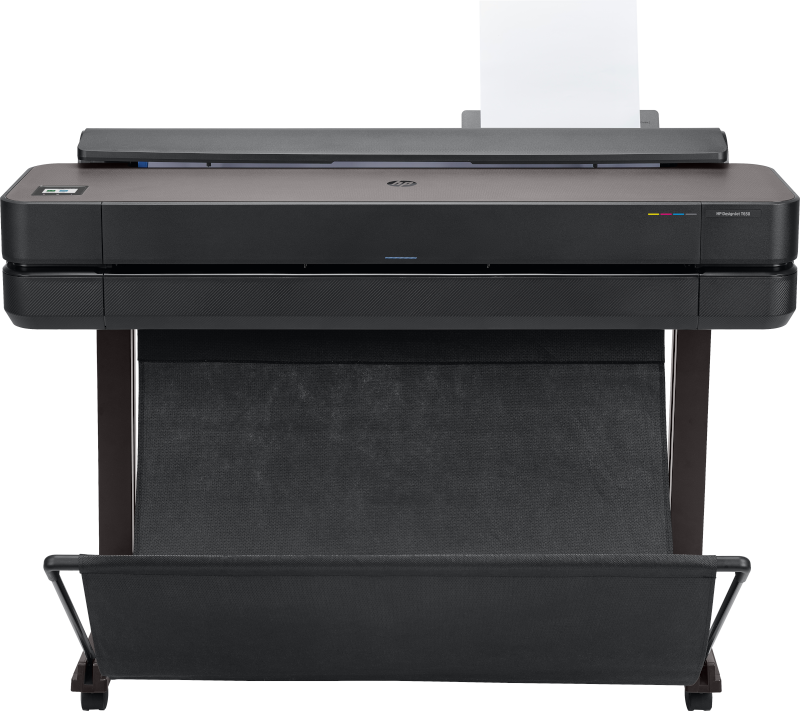
Office · A1 & A0
HP DesignJet T650
The benchmark small-practice plotter. Prints an A1 in 25 seconds — at 15 or more A1 sheets per week, in-house printing typically recovers its cost within 12 months of bureau savings.
- A1 in 25 seconds
- A1 (24") and A0 (36") capability
- Wi-Fi, Ethernet, USB
- HP Click — single-step from AutoCAD/Revit
- For 1–3 regular users, 15–30 A1/week
Tier 2 · Professional · A1 & A0
2 product lines · 6 configurations
Professional Series
For practices with consistent daily printing demands — 1 to 10 users, tender-set volumes, and the need for scan and copy capability. Multifunction models eliminate the need for a separate large-format scanner.
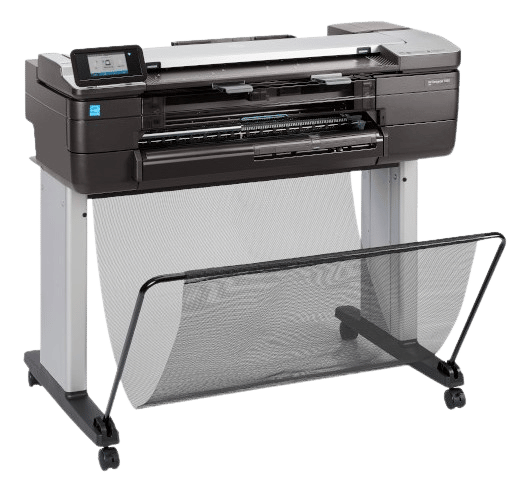
MFP · Scan + Copy
HP DesignJet T830 MFP
The compact A1 multifunction. Print, scan, and copy up to A1 in a single device — for small offices that need scan capability without a large footprint.
- Print + scan + copy — A1 format
- Compact MFP footprint
- Wi-Fi, Ethernet connectivity
- HP Click workflow
- Ideal first MFP for small AEC teams
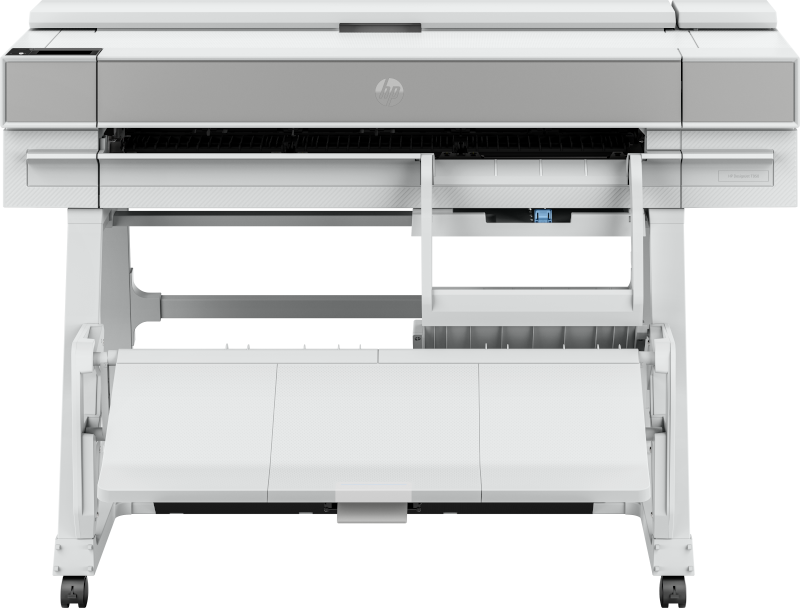
Professional · A1 & A0 · 5 Configurations
HP DesignJet T850 · T870 · T950
The professional series for practices with consistent daily drawing output — from the T850 entry point to the T950 at the top of the tier. Print-only and MFP variants for each throughput level. All models include USB Flash Drive printing and a 5-inch touchscreen.
- T850 and T850 MFP — 2 to 5 users
- T870 — 3 to 8 users, higher throughput
- T950 and T950 MFP — 5 to 10 users
- USB Flash Drive printing on all models
- 36-inch A0 format · HP Click workflow
T850
T850 MFP
T870
T950
T950 MFP
View all configurations
Tier 3 · Production · A1 & A0
3 models
Production Series
For practices producing 30 or more A1 sheets per day, large engineering firms running full tender sets, or any organisation where the plotter serves multiple departments. Multi-roll capability means different paper sizes stay loaded simultaneously.

Production
HP DesignJet T1600
The step-up recommendation when three or more people are printing daily, or when project revisions regularly run to 30+ A1 sheets. Dual-roll capability keeps A1 and A0 loaded simultaneously.
- Dual-roll — A1 and A0 simultaneously loaded
- High-volume duty cycle
- A1 and A0 at production speed
- HP Click + network printing
- For 3+ heavy users or shared print rooms
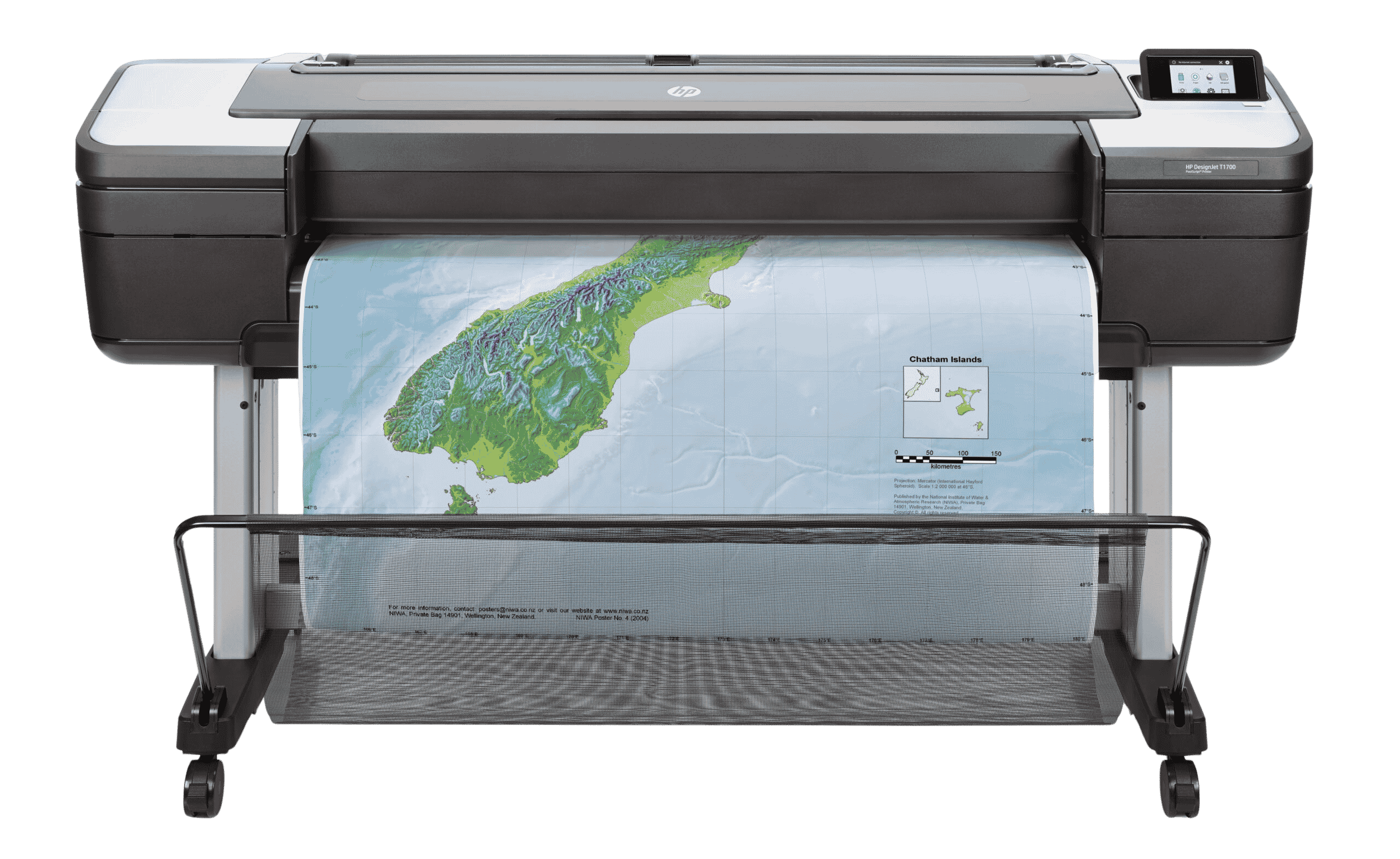
Production
HP DesignJet T1700
Single-roll production throughput for practices that need sustained high-speed output on a primary paper size — with the duty cycle and consumable capacity to run continuously without stopping.
- High-throughput production output
- High-capacity ink system
- A1 and A0 precision output
- Wi-Fi, Ethernet, USB
- For sustained high-volume single-roll workflows

Production MFP
HP DesignJet T2600 MFP
Production-level print, scan, and copy in a single device. For large practices and government clients that need full A0 scan-to-archive capability alongside high-volume drawing output.
- Print + scan + copy at production volume
- A0 large-format scanner built in
- Multi-roll dual-sheet capacity
- Scan-to-PDF and network folder
- For large practices, departments, and bureaux
Tier 4 · DesignJet XL · Maximum Throughput
2 models
HP DesignJet XL Series
The top tier of the HP DesignJet range. The DesignJet XL Series delivers the highest output speeds in the DesignJet lineup — printing up to 6 A1 pages per minute — alongside enterprise-grade MFP capability, multi-roll capacity, and advanced fleet management. For centralised print rooms, government departments, and organisations where drawing output is measured in hundreds of sheets per day.
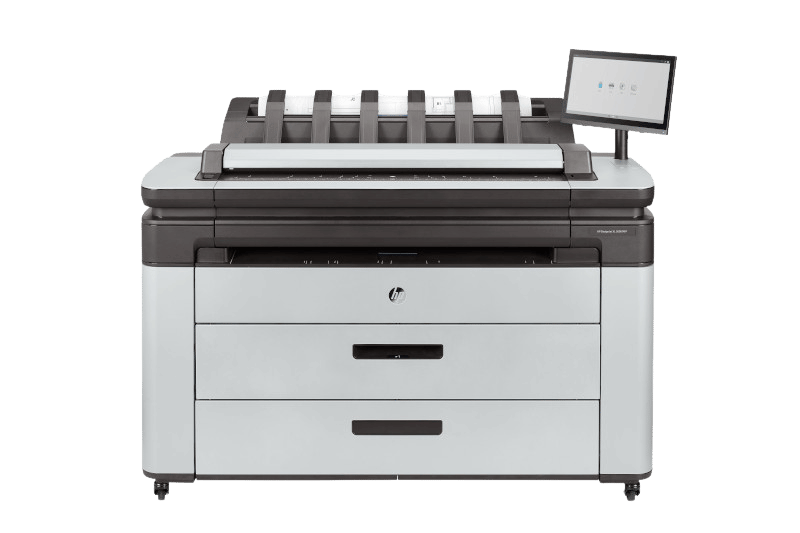
DesignJet XL · High-Volume MFP
HP DesignJet XL 3600 MFP
The DesignJet XL Series entry point — prints, scans, and copies at the highest throughput available in the DesignJet range. For centralised environments where the plotter serves an entire building or department.
HP thermal inkjet — high-throughput DesignJet XL technology
Print + scan + copy at enterprise volume
A1 and A0 output at high-speed throughput
Multi-roll capability — multiple sizes loaded
Network and cloud-connected workflow
View the XL 3600 MFP
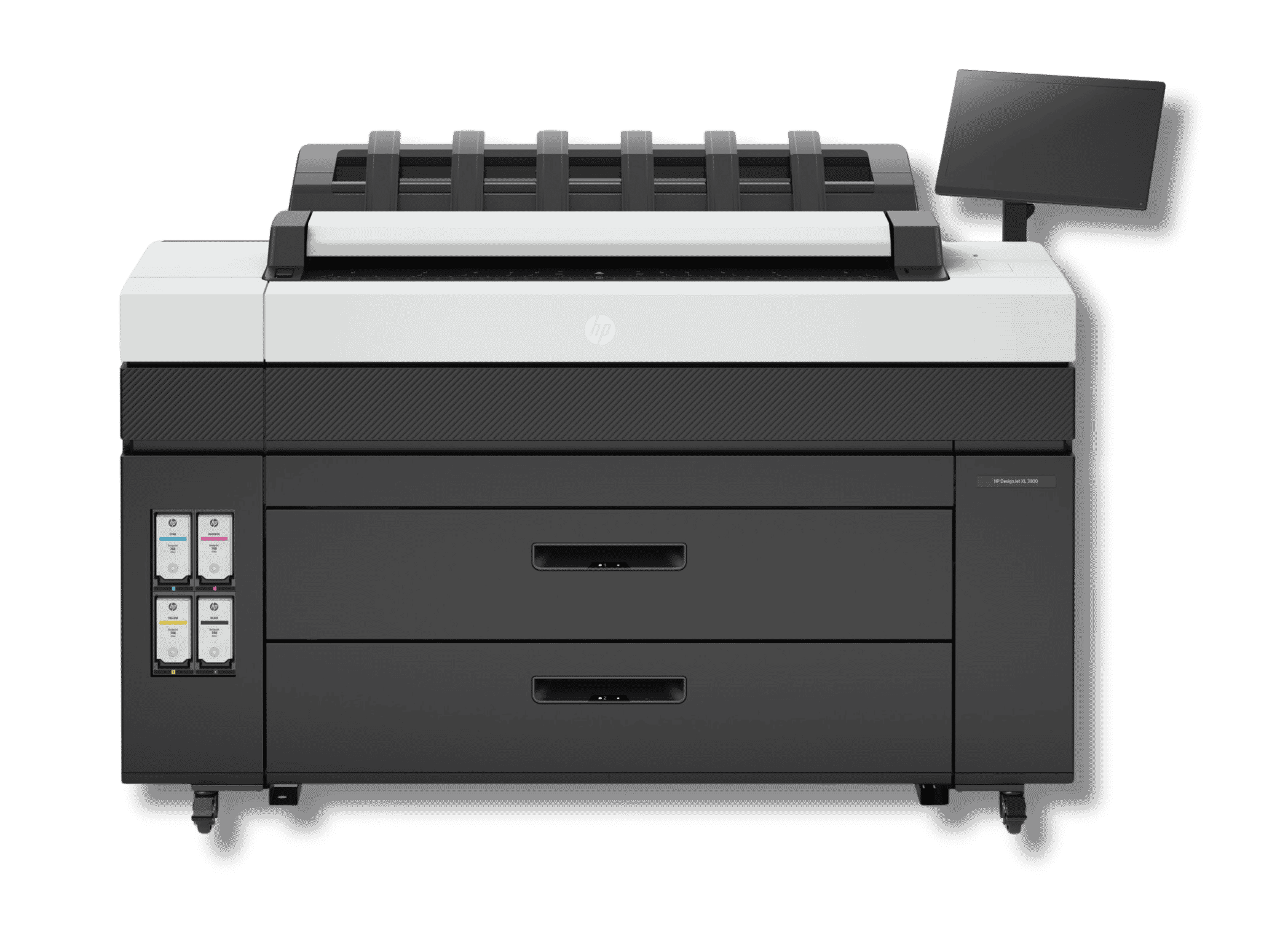
DesignJet XL · Top of Range
HP DesignJet XL 3800 MFP
The highest-throughput HP DesignJet available. Designed for organisations where drawing output is a core business process — government departments, large engineering firms, and centralised bureau services.
Maximum throughput in the DesignJet XL Series
Print + scan + copy — full production
Highest duty cycle in the DesignJet range
Advanced fleet management and reporting
HP PrintOS integration
View the XL 3800 MFP
Side-by-Side
Comparing the Four Tiers
Key decision factors across the DesignJet range — from compact office plotter to DesignJet XL enterprise system.
| Decision Factor | Entry & Compact T230 · T630 · T650 |
Professional T830–T950 Series |
Production T1600 · T1700 · T2600 |
DesignJet XL XL 3600 · XL 3800 |
|---|---|---|---|---|
| Max format | A1 (T230) / A0 (T630, T650) | A0 across all models | A0 across all models | A0 across all models |
| Multifunction (scan + copy) | — Print only | Optional (MFP variants) | Optional (T2600 MFP) | ✓ Included standard |
| Multi-roll capability | — | — | ✓ Dual roll standard | ✓ Multi-roll standard |
| Printing technology | Thermal inkjet | Thermal inkjet | Thermal inkjet | Thermal inkjet — DesignJet XL Series |
| Typical daily volume | Up to ~15 A1/day | 15–50 A1/day | 30–150+ A1/day | 150+ A1/day |
| Recommended team size | 1–3 users | 1–10 users | 3–20+ users | Department or enterprise |
| Wi-Fi connectivity | ✓ All models | ✓ All models | ✓ All models | ✓ All models |
| HP Click software | ✓ Included | ✓ Included | ✓ Included | ✓ Included |
| AutoCAD / Revit compatible | ✓ All models | ✓ All models | ✓ All models | ✓ All models |
| Bureau break-even point | ~15+ A1/week | ~25+ A1/week | ~50+ A1/week | High-volume operations |
| Best for | Solo practitioners · small studios · occasional printing | Small–medium practices · consistent daily output · MFP optional | Large practices · tender sets · centralised dept printing | Enterprise · government · high-volume centralised bureaux |
Workflow Integration
Prints Directly from Your Design Software
HP DesignJet plotters integrate natively with the platforms your team already uses. No RIP licence, no format conversion — just one click from application to paper.





HP Click + native drivers: one click from application to paper
HP Click software and the built-in HP DesignJet driver handle A1, A0, and custom sizes directly from any of these applications. For standard CAD output no separate RIP licence is required — reducing both cost and the number of steps between your team and a finished print.
In-House vs Bureau
When Does In-House Printing Pay for Itself?
The most common question Graficomp's sales team receives is not which plotter — it's whether in-house printing makes financial sense at all. The answer depends on your weekly drawing volume. Use the guide below, then ask us to run the numbers specific to your practice.
Under 10 A1/week
Bureau may still be the right answer
At low volumes, bureau cost per sheet is lower than the cost of capital, ink, and media for an in-house device. A T230 or T630 may still make sense for the convenience of immediate output — especially if revision cycles create unpredictable demand.
15+ A1/week
T650 typically recovers its cost within 12 months
A practice printing 15 or more A1 sheets per week will generally recover the T650 hardware cost within 12 months on bureau savings alone. Beyond 12 months, every drawing printed in-house is a margin gain.
30+ A1/week
Step up to T1600 — capacity matters more than price
At 30 or more A1 sheets per week, or with three or more people printing regularly, the T650's throughput becomes a constraint. The T1600's dual-roll and higher duty cycle deliver significantly more daily capacity and reduce per-sheet cost at volume.
100+ A1/day
DesignJet XL — the economics of scale change entirely
At high daily volumes, the DesignJet XL Series is not just faster — it changes the cost-per-sheet equation significantly. At enterprise volumes, the per-sheet cost advantage over bureau printing is substantial enough to justify the investment within months.
12 months
Typical hardware cost recovery for a practice printing 15+ A1 sheets per week with a T650 — on bureau savings alone.
±0.1%
HP DesignJet line accuracy. Every model in the range meets this precision standard — the same tolerance required for approved architectural and engineering drawings.
25 seconds
An A1 drawing on the HP DesignJet T650. At a busy practice, immediate output on revision cycles saves hours of waiting for bureau jobs to come back.
Who Uses HP DesignJet
The Technical Drawing Professions
Every discipline that produces large-format technical drawings — from architectural practice to government surveying departments.
Architecture
Floor plans, elevations, sections, and presentation drawings at A1 and A0.
Civil & Structural Engineering
Infrastructure drawings, structural calculations, site layout plans, and as-built records.
Surveying & GIS
Cadastral maps, topographic surveys, GIS outputs, and boundary plans at precision tolerances.
Construction & Quantity Surveying
Tender documents, site drawings, BOQ schedules, and construction stage plans.
Education & Government
University design studios, government planning departments, and municipal engineering offices.
South Africa Wide
Installation, Service & Support
Graficomp has been installing HP DesignJet equipment in South African architecture, engineering, and government offices since the 1980s. We are an HP Authorised Service & Delivery Partner — not just a reseller.
On-Site Installation
Delivery, unboxing, network connection, driver installation, HP Click setup, and a test print run — completed at your premises by a Graficomp technician. Gauteng, Western Cape, and KZN offices, plus national coverage across all provinces and into neighbouring countries.
CAD Workflow Integration
HP Click configuration for AutoCAD, Revit, and MicroStation. Plot style setup, paper size profiles, and HP Smart App connection. We ensure your team can print from their existing workflow on day one — no IT involvement required.
HP-Certified Repairs & Service Contracts
HP Authorised Service & Delivery Partner (ASDP) status. Genuine HP parts, trained technicians, and service contract options to extend your warranty and guarantee rapid response to downtime. Graficomp engineers have been servicing HP plotters across South Africa for over 30 years.
Ready to Specify Your HP DesignJet Plotter?
Tell us your team size, weekly drawing volume, and whether you need scan and copy. A Graficomp DesignJet specialist will recommend the right model and provide a detailed quote including installation and HP Click setup. No obligation.
- Model recommendation matched to your weekly drawing volume
- Detailed quote including installation and HP Click setup
- Bureau vs in-house cost comparison on request
- Rental and finance options across 36, 48, and 60 months