Graficomp · HP Amplify Commercial Specialist · Johannesburg · Cape Town · Durban |
011 792 1348
HP Amplify Commercial Specialist · Large Format Design Solutions|HP Amplify Commercial Specialist · Large Format Production & Textile Solutions|HP Amplify Synergy Commercial Partner
Professional Series · 36-inch A0 Format
HP DesignJet Professional Series
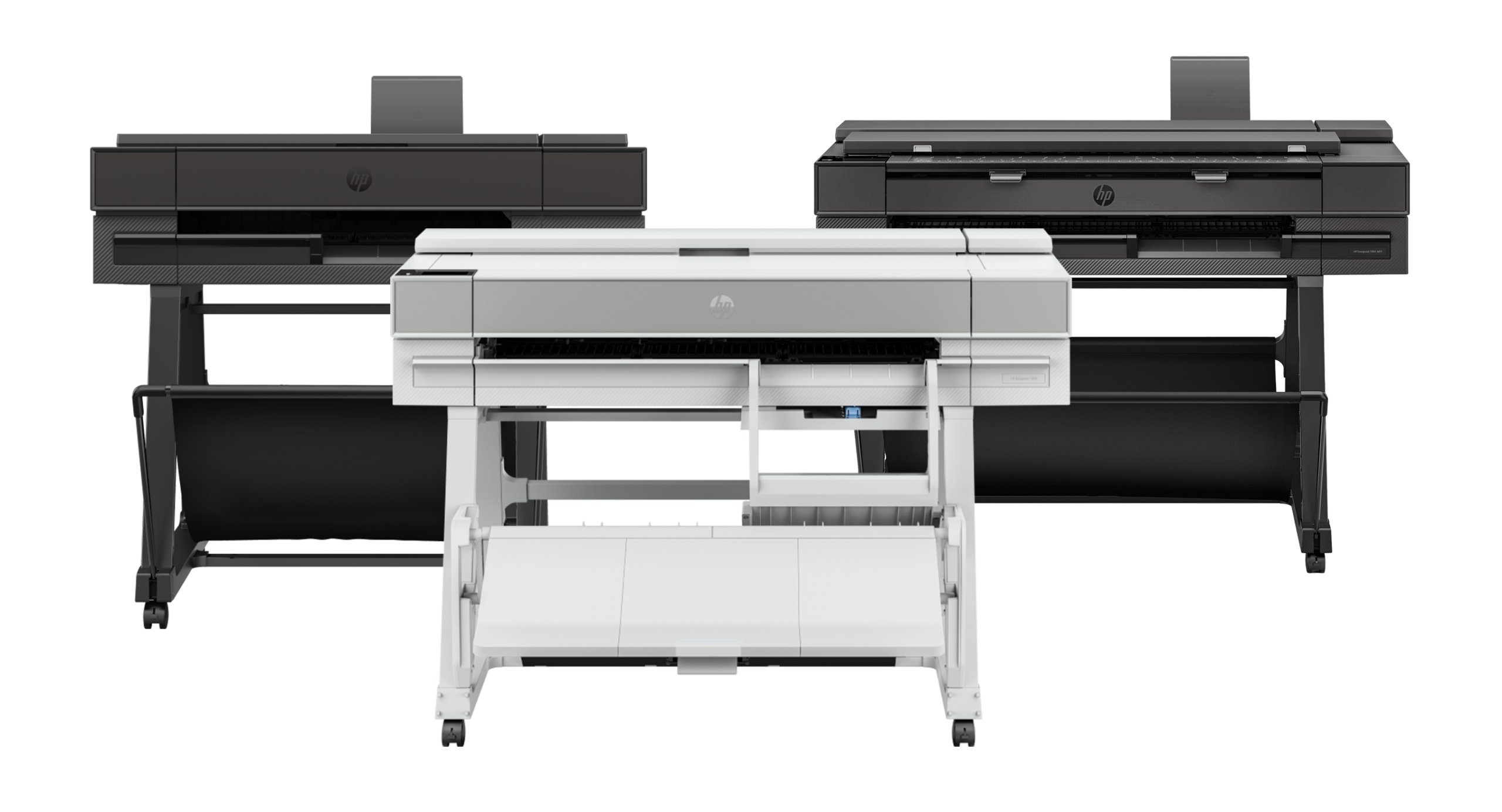
T850 · T870 · T950
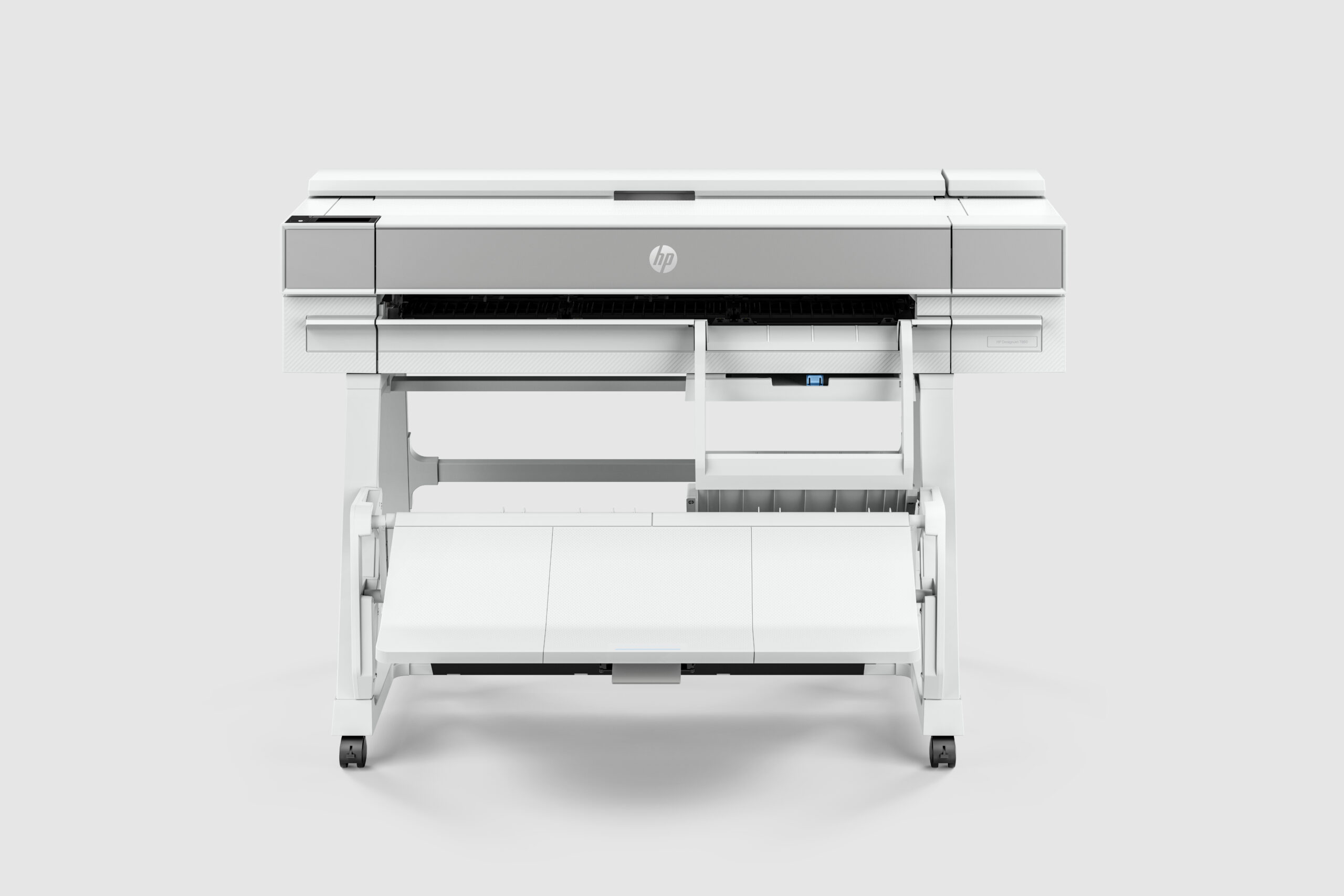
The HP DesignJet T850, T870, and T950 form the professional tier of HP's DesignJet range, designed for architecture and engineering practices with consistent daily drawing output and 2 to 10 concurrent users. All three models print at A0 format on 36-inch (914 mm) roll media with ±0.1% line accuracy, connect via Gigabit Ethernet, Wi-Fi, and USB, and support USB Flash Drive printing and HP Click one-step plotting software. The T850 is the professional upgrade from the T650, suited to growing practices with 2 to 5 regular users. The T870 handles higher daily volumes with increased duty cycle for 3 to 8 users. The T950 is the highest-throughput model in the professional tier, for practices of 5 to 10 users with demanding drawing schedules. Scan and copy capability is available via the T850 MFP and T950 MFP variants. Sold and serviced in South Africa by Graficomp, an HP Amplify Commercial Specialist and certified HP ASDP service partner.
Which Professional Series Model Is Right for Your Practice?
Five configurations matched to team size, daily volume, and whether you need integrated scanning. All models are 36-inch A0-capable with HP Click and USB Flash Drive printing.
Why the Professional Series Outperforms the Compact Range
These four arguments apply across all five professional series configurations. They explain why a growing practice outgrows the T630 and T650 and why stepping up to this tier is financially justified.
⚡
Higher Duty Cycle for Consistent Daily Output
The T650 is designed for occasional drawing output. The professional series is designed for daily, sustained printing across multiple users. The key difference is duty cycle: the number of A1 sheets the hardware can process per month without degraded performance or premature wear. For a practice running tender sets weekly and drawing revisions daily, the professional series handles the load the compact range was not rated for.
🖨️
USB Flash Drive Printing Across All Models
Every professional series model supports printing directly from a USB flash drive without a connected computer. For site offices, meeting rooms, and practices where the plotter needs to operate independently of the office network, this eliminates the most common print-room workflow bottleneck. Drop the USB, print, remove. The T650 does not support this — the professional series does across all five configurations.
📱
5-Inch Touchscreen on Every Model
All five professional series models include a 5-inch colour touchscreen. This shifts printer management from a desktop PC to the device itself. Queue review, job deletion, media loading confirmation, connectivity diagnostics, and firmware status are accessible at the printer without returning to a workstation. For a practice where the plotter sits across the office from the operator's desk, this is a practical time saving on every print run.
🔍
MFP Options Eliminate the Separate Large-Format Scanner
The T850 MFP and T950 MFP integrate large-format scanning and copying directly into the plotter. For an architecture practice that needs to scan marked-up site drawings, capture as-built plans, or copy existing drawings for submission, this removes a second device from the office footprint. The scanner feeds into the same HP Smart App workflow, so scan-to-PDF and scan-to-folder jobs follow the same process as print jobs.
Professional · Print Only
HP DesignJet T850
The HP DesignJet T850 is the professional upgrade from the HP DesignJet T650. Where the T650 serves practices with occasional to moderate drawing output, the T850 is rated for sustained daily use across 2 to 5 concurrent users. It prints at 36-inch (914 mm) maximum width on roll and sheet media, with the same ±0.1% line accuracy across all modes. Key additions over the T650 include a 5-inch colour touchscreen, USB Flash Drive printing, and a higher duty cycle for consistent daily operation. For a small architecture or engineering practice that has outgrown the T650's capacity, the T850 is the direct next step before moving to the higher-throughput T870 or T950.
36-inch A0 maximum print width
±0.1% line accuracy on HP bond and heavyweight coated paper
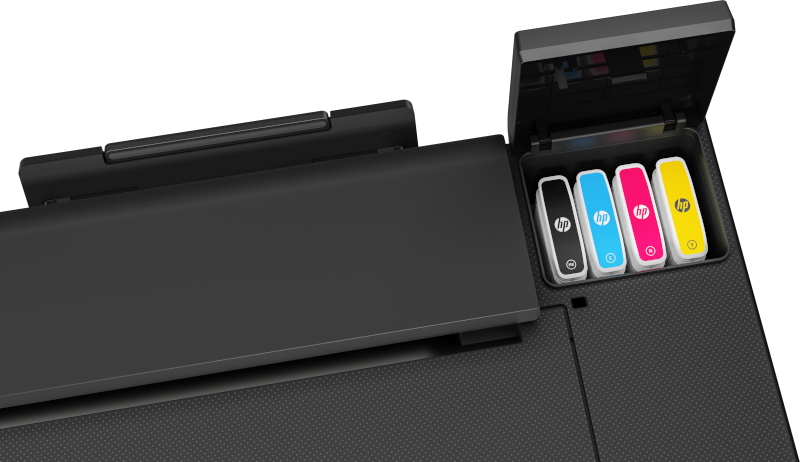
HP 712 Bright Office inks: dye C/M/Y, pigment K
5-inch colour touchscreen for queue and device management
USB Flash Drive printing without a connected computer
Gigabit Ethernet, Wi-Fi 802.11, Hi-Speed USB 2.0
Automatic sheet feeder (A4 to A3, 60 to 220 g/m²)
Automatic horizontal cutter
HP Click software: one-click PDF batch plotting, no RIP required
T850 Standard — Print Only
Higher duty cycle than the T650, 5-inch touchscreen, USB Flash Drive printing, and Gigabit Ethernet for 2 to 5 regular users. The step-up when the T650's capacity has become a constraint on daily output.
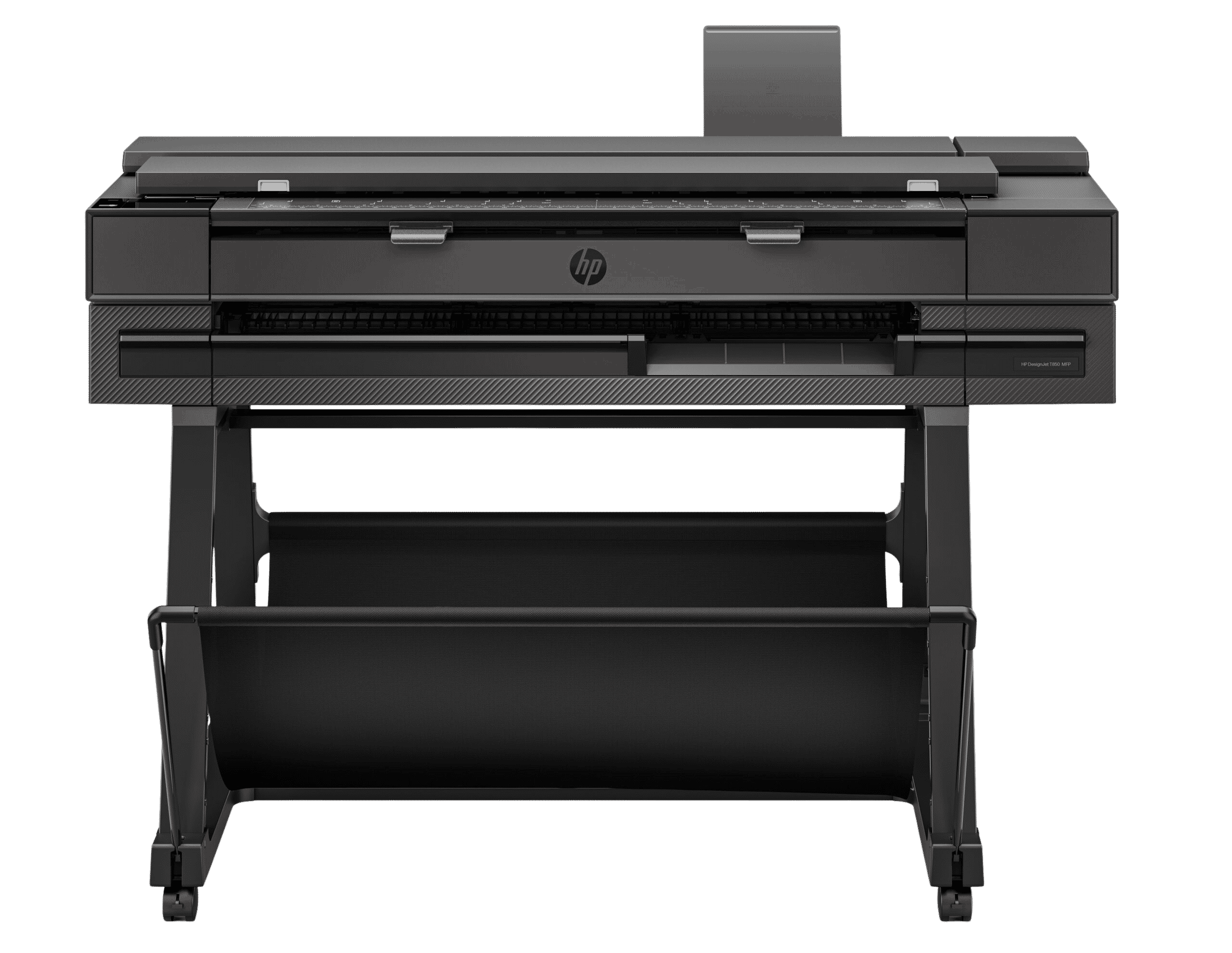
T850 MFP — Adds Scanning & Copying
Scan width up to 914 mm. Scan-to-PDF, scan-to-folder, and copy functions built in. Eliminates a separate large-format scanner for practices that capture site drawings, marked-up revisions, or as-built plans.
Stepping Up from the T650?
Choose the T850 when you have 3 or more regular users, your weekly volume consistently exceeds 30 A1 sheets, or your T650 is showing queue delays. The gains are in duty cycle and workflow convenience, not print quality.
Need Higher Volume? T870 or T950
If the T850 creates queue delays as the team grows, the T870 handles 3 to 8 users at higher throughput. The T950 is the top professional-tier choice for 5 to 10 users with demanding drawing schedules.
Professional · High Throughput
HP DesignJet T870
The HP DesignJet T870 sits between the T850 and T950 in the professional series. It is designed for practices with higher daily drawing volumes than the T850 handles comfortably, for teams of 3 to 8 regular users running consistent tender sets and drawing register updates. The T870 delivers higher throughput and a higher-capacity roll system, making it the better fit when a practice's output has outgrown the T850 but does not yet justify the T950. Like all professional series models, the T870 connects via Gigabit Ethernet, Wi-Fi, and USB, includes a 5-inch touchscreen, and supports USB Flash Drive printing and HP Click batch PDF plotting.
36-inch A0 maximum print width
Higher throughput than the T850 — suited to 3 to 8 regular users
Higher-capacity roll system for sustained daily production
USB Flash Drive printing without a connected computer
5-inch colour touchscreen
Gigabit Ethernet, Wi-Fi 802.11, Hi-Speed USB 2.0
HP Click software: one-click PDF batch plotting, no RIP required
HP Smart App for remote queue management
±0.1% line accuracy on HP-recommended media
T870 vs T850
Higher throughput and a higher-capacity roll system. The right choice when the T850 is creating queue delays for a team of 3 to 8 users with a consistent daily drawing workload.
Print Only — No MFP Variant
The T870 is a print-only model. There is no T870 MFP configuration. If you need scan and copy capability at the T870 throughput level, the T950 MFP is the appropriate choice.
Need Scan & Copy? Consider the T950 MFP
The T950 MFP combines T950-level print throughput with integrated large-format scanning and copying. For practices that need both higher-volume printing and scan/copy capability in one device.
T870 vs T950
If your team has 8 to 10 users or your daily A1 output consistently pushes beyond what the T870 handles, the T950 is the next step — the highest-throughput model before the production T1600 tier.
Professional · Top Tier
HP DesignJet T950
The HP DesignJet T950 is the highest-throughput model in the professional series, positioned for architecture and engineering practices of 5 to 10 users with demanding daily drawing output. It delivers the fastest A1 print speeds in this tier and is the correct choice when the practice's output requirements have moved beyond what the T850 and T870 can sustain without queue delays. The T950 is a print-only device. For practices that also need integrated scanning and copying at this throughput level, the T950 MFP is the appropriate configuration. Both models share the same printing hardware, with the T950 MFP adding the large-format scanner module. Before moving to the HP DesignJet T1600, the T950 is the last stop in the professional tier.
36-inch A0 maximum print width
Highest throughput in the professional series
For 5 to 10 regular concurrent users
USB Flash Drive printing without a connected computer
5-inch colour touchscreen
Gigabit Ethernet, Wi-Fi 802.11, Hi-Speed USB 2.0
HP Click software: one-click PDF batch plotting, no RIP required
HP Smart App remote queue and printer management
±0.1% line accuracy
T950 Standard — Top of the Tier
Highest throughput in the professional series. Rated for 5 to 10 concurrent users with demanding daily drawing output. The last professional-series stop before the production T1600.
T950 MFP — Adds Scanning & Copying
Combines T950 print throughput with a 914 mm integrated scanner. Scan-to-PDF, scan-to-folder, and copy functions included. The complete professional print, scan, and copy solution at this tier.
T950 vs T1600
The T1600 adds dual-roll, a higher-volume ink system, and production-tier duty cycle. Consider it when you have 10+ users or consistently exceed 100 A1 sheets per week.
Need Enterprise Security? T2600 MFP
The T2600 MFP adds LDAP authentication, role-based access, and HP Wolf Pro Security. The right choice for government, corporate, or IT-security-governed environments.
In-House vs Bureau
The Financial Argument for the Professional Series
Practices choosing between the professional series models are typically already past the point where in-house printing makes financial sense. The question is which configuration is appropriate for the volume. At bureau rates of R15 to R25 per A1 sheet, the figures below illustrate when moving from the compact range to the professional series is also a financial upgrade.
Weekly A1 Volume
Estimated Bureau Cost (per month)
Estimated Bureau Cost (per year)
Guidance
10 sheets/week
R600 to R1,000
R7,200 to R12,000
At this volume, the HP DesignJet T630 or T650 is the correct starting point, not the professional series.
20 to 30 sheets/week
R1,200 to R3,000
R14,400 to R36,000
T850 is the entry point. Bureau costs at this volume typically justify the T850 within 12 to 18 months.
50 sheets/week
R3,000 to R5,000
R36,000 to R60,000
T870 for print-only. T850 MFP if scan and copy are also required. In-house is clearly more economical at this volume.
75 to 100 sheets/week
R4,500 to R10,000
R54,000 to R120,000
T950 or T950 MFP. Bureau outsourcing is not viable at this volume for a practice of any size.
100+ sheets/week
R6,000+
R72,000+
Consider the HP DesignJet T1600 production tier. Contact Graficomp for a volume-matched recommendation.
These estimates are based on typical bureau rates in Johannesburg and Cape Town as of 2026. Contact Graficomp for a cost comparison based on your actual weekly volume and drawing complexity.
Workflow, Software, and Connectivity
The professional series shares the same workflow platform as the rest of the DesignJet range. All five models work with the same software, drivers, and connectivity options.
AutoCAD, Revit, and Civil 3D Compatibility
All professional series models work with any application that exports to PDF or sends output through a standard Windows or macOS print driver. No plugin, no add-in, no specialist operator required. HP-GL/2 print language is natively supported for direct driver output from AutoCAD, Revit, ArchiCAD, Civil 3D, MicroStation, and all other standard AEC applications. Mac users have full native driver support.
HP Click Software
HP Click is included with all professional series models. Drop multiple PDF files in, and the software detects the page size of each automatically. One click sends the entire batch to the plotter — no manual driver selection, no page-by-page size configuration. For a practice exporting 20 PDFs from AutoCAD for a tender submission, this eliminates the most time-consuming step in the print workflow. HP Click is not a RIP. AEC buyers do not need a RIP for standard CAD plotting.
Mac compatibility on all professional series models
HP provides a raster driver for both Windows and macOS on all T850, T870, and T950 models. HP Click and HP Smart App are both available for macOS. Architecture and design practices running macOS can print directly with no Windows intermediary.
Connectivity — All Models
Connection
Details
Gigabit Ethernet
1000Base-T. Recommended for offices with multiple users sharing a network print queue.
Wi-Fi
802.11 b/g/n. Wireless printing from desktops and laptops without cabling.
Hi-Speed USB 2.0
Direct connection for single-user workstations.
USB Flash Drive
Print from USB stick without a connected computer. Present on all five professional series models.
HP Smart App
Remote job submission, queue management, and printer status from any device.
5-Inch Touchscreen: Device Management at the Printer
All professional series models include a 5-inch colour touchscreen. Queue review, job cancellation, media loading confirmation, and connectivity diagnostics are accessible without returning to a workstation. For any practice where the plotter is not immediately next to the operator's desk, this eliminates the back-and-forth of managing print jobs through a desktop interface.
Professional Series: Configuration Comparison
Specifications sourced from HP product datasheets. Verify specific values against current HP documentation before procurement. Contact Graficomp if you need a specification confirmed.
Specification
T850
T850 MFP
T870
T950
T950 MFP
Max Print Width
914 mm (36")
914 mm (36")
914 mm (36")
914 mm (36")
914 mm (36")
A1 Print Speed
Contact Graficomp
Contact Graficomp
Higher than T850
Highest in tier
Highest in tier
Print Resolution
2400 × 1200 dpi
2400 × 1200 dpi
2400 × 1200 dpi
2400 × 1200 dpi
2400 × 1200 dpi
Line Accuracy
±0.1%
±0.1%
±0.1%
±0.1%
±0.1%
Ink System
HP 712 (4-color)
HP 712 (4-color)
HP 712 (4-color)
HP 712 (4-color)
HP 712 (4-color)
Touchscreen
5-inch colour
5-inch colour
5-inch colour
5-inch colour
5-inch colour
USB Flash Drive Print
Yes
Yes
Yes
Yes
Yes
Integrated Scanner
No
Yes (up to 914 mm)
No
No
Yes (up to 914 mm)
Copy Function
No
Yes
No
No
Yes
Connectivity
GbE, Wi-Fi, USB, USB Flash
GbE, Wi-Fi, USB, USB Flash
GbE, Wi-Fi, USB, USB Flash
GbE, Wi-Fi, USB, USB Flash
GbE, Wi-Fi, USB, USB Flash
Media: Roll Feed
279 to 914 mm
279 to 914 mm
279 to 914 mm
279 to 914 mm
279 to 914 mm
Auto Sheet Feeder
A4 to A3
A4 to A3
A4 to A3
A4 to A3
A4 to A3
Operating Temp
5 to 40°C
5 to 40°C
5 to 40°C
5 to 40°C
5 to 40°C
Power (SA)
220-240V, 50/60 Hz
220-240V, 50/60 Hz
220-240V, 50/60 Hz
220-240V, 50/60 Hz
220-240V, 50/60 Hz
Warranty
1-year limited
1-year limited
1-year limited
1-year limited
1-year limited
Why Graficomp
Graficomp does not sell you a plotter and leave you to set it up. Every HP DesignJet professional series purchase includes on-site installation, driver and network configuration, and operator training. Graficomp's engineering team holds an estimated 40 to 50 years of combined hands-on experience with HP DesignJet and Latex printer ranges.
🏅
HP ASDP Certified Service Centre
Authorised HP service in and out of warranty. Genuine parts, trained technicians, and service coverage from Johannesburg, Cape Town, and Durban.
🔧
Installation and Commissioning Included
On-site: Graficomp validates print quality, configures HP Click, and connects the device to your network before handover. You do not set it up yourself.
🎓
Operator Training Included
HP Click workflow, USB Flash Drive printing, sheet feeder loading, roll media loading, ink cartridge replacement, and driver configuration on your OS.
💳
Rental and Financing Available
36, 48, or 60-month rental and financing options on the professional series. Contact Graficomp for a monthly cost comparison against your current bureau spend.
Who We Serve
Architecture and Design
Civil and Structural Engineering
Land Surveying and GIS
Construction and Project Management
Quantity Surveying
Municipal and Government Planning
University and Education
Interior Design and Rendering
HP Amplify Partner Programme
HP Amplify Commercial Specialist
HP Amplify is HP's global partner programme. Specialist status requires demonstrated technical competency, customer satisfaction metrics, and a minimum volume of certified deployments. Graficomp holds designations across two solution areas plus Synergy Commercial Partner status.
When you buy an HP DesignJet professional series model through Graficomp, you are buying through a partner HP recognises as qualified to deliver the full solution: hardware, installation, training, and ongoing service.
Large Format Design Solutions SpecialistHP Amplify Commercial Specialist designation
Large Format Production and Textile Solutions SpecialistHP Amplify Commercial Specialist designation
HP delivers equipment free to any South African location. For AEC practices in outlying towns, this eliminates a cost barrier that competitors do not address.
Johannesburg (Head Office)Midrand / KyalamiPretoria / CenturionKrugersdorp / West RandIsando / Kempton ParkJet Park / BoksburgMeadowdale / GermistonLongmeadow / Linbro ParkCape Town (Tokai)DurbanStellenbosch / TechnoparkPaarl · Somerset West · George
Graficomp's Cape Town office in Tokai serves the entire Western Cape with on-site installation and support. Architecture practices in Stellenbosch, engineering consultancies in Paarl, GIS teams at Winelands universities, and civil engineering firms along the Garden Route are all within service range.
Not Sure Which Model? Start Here.
Use these three routing cards to confirm whether the professional series is the right tier for your practice, and which configuration within it is appropriate.
Buyer Condition
Recommended Model
Fewer than 15 A1 per week, lowest entry cost, solo or small studio
If your practice prints fewer than 15 A1 drawings per week and does not need USB Flash Drive printing or the higher duty cycle, the HP DesignJet T650 delivers the same print quality at a lower entry cost. The professional series is priced above the compact range for good reason: the gains are in duty cycle and workflow features, not in line quality. Do not over-specify for a practice that the T650 can serve adequately.
If the T950 is not enough
If your team has 10 or more people printing concurrently, or your daily output consistently exceeds 30 A1 sheets, the HP DesignJet T1600 is the production-tier upgrade. It adds dual-roll capability, a higher-volume ink system, and throughput rated for sustained high-volume environments. Contact Graficomp to discuss whether the T950 or T1600 is appropriate for your specific volume.
If you need enterprise-grade document security
The HP DesignJet T2600 MFP adds LDAP authentication, role-based access control, HP Wolf Pro Security, and secure erase. For government clients, corporate facilities teams, or organisations with IT security requirements for network-connected devices, the T2600 MFP is the correct choice over the T950 MFP.
HP DesignJet Professional Series: Frequently Asked Questions
Answers written to stand alone and address the specific questions AEC buyers ask when choosing between these five configurations.
The T850 and T650 produce the same print quality, the same ±0.1% line accuracy, and use the same HP 712 inks. The differences are in duty cycle, workflow features, and device management. The T850 adds a 5-inch colour touchscreen and USB Flash Drive printing, neither of which is available on the T650. The T850 is also rated for a higher monthly duty cycle, making it the correct choice for a practice where 3 or more people print regularly and the T650 is showing queue delays or wear from consistent daily use. If the T650 is serving your practice without problems, it is not under-specified — the T850 upgrade is warranted only when the T650 is clearly working at or beyond its rated capacity.
Choose the T870 when your practice has between 3 and 8 regular users printing daily and your weekly A1 volume consistently sits in the 40 to 80 sheet range. The T870 delivers higher throughput and a higher-capacity roll system than the T850, making it the better fit when the T850's capacity becomes a production constraint. If you also need scan and copy capability at the T870 throughput level, the T950 MFP is the more appropriate choice — the T870 is print-only. Contact Graficomp to discuss your specific output profile and whether the T870 or T950 MFP better fits your combination of volume and workflow requirements.
The MFP variants (T850 MFP and T950 MFP) add an integrated large-format scanner and copy function to the base printer. Scan width is up to 914 mm (36 inches). You need the MFP variant if: you regularly scan marked-up site drawings for revision, you need to capture as-built plans as digital PDFs, you copy existing drawings for submission or archiving, or you want to eliminate a separate large-format scanner from the office. If your practice's primary need is print output and you only occasionally scan, a standalone compact scanner may be more cost-effective than the MFP upgrade. Contact Graficomp to compare the total cost of T850 plus a separate scanner against the T850 MFP for your specific scan volume.
Yes. All five professional series models support USB Flash Drive printing. Insert the USB drive into the printer's front port, browse to the file on the 5-inch touchscreen, and print. No connected computer is required. Supported file formats include PDF and JPEG. This is useful for site offices, meeting rooms, and any situation where the plotter needs to operate independently of the office network. The T650 does not support USB Flash Drive printing — this is one of the key workflow upgrades the professional series provides.
Yes. All professional series models work with any application that exports to PDF or uses a standard Windows or macOS print driver. AutoCAD, Revit, ArchiCAD, Civil 3D, MicroStation, and any other AEC application that outputs to PDF will work without special software. HP Click accepts multiple PDF files and prints them in one click with automatic page-size detection. No RIP is required. HP-GL/2 is natively supported for direct driver output.
Yes. HP provides a raster driver for both Windows and macOS on the T850, T870, and T950 series. HP Click and the HP Smart App are both available for macOS. Architecture and design practices running macOS can print directly without a Windows intermediary. This is a genuine advantage over some competing plotters that are Windows-only at this tier.
Consider the T1600 when: you have 10 or more people printing concurrently and queue times are affecting productivity, your daily A1 output consistently exceeds 30 sheets, you need dual-roll capability to keep A1 and A0 media loaded simultaneously, or your operation requires the higher duty cycle and consumable capacity of the production tier. The T950 is the top of the professional tier and is appropriate for up to 10 regular users at typical practice volumes. The T1600 is the step up for operations where the plotter is a shared production tool rather than a practice resource. Contact Graficomp to discuss your specific volume and user profile.
Yes. Graficomp provides on-site installation for every HP DesignJet professional series purchase. This includes physical setup, network configuration (Ethernet or Wi-Fi), HP Click installation, driver configuration for your operating system, and a short operator training session covering roll loading, sheet feeder use, USB Flash Drive printing, and standard PDF plotting workflow. You do not need to set it up yourself.
Yes. Graficomp offers 36, 48, and 60-month rental and financing options on the HP DesignJet professional series. For a practice comparing a monthly rental cost against its current bureau spend, this can make the financial case clearer without a large upfront capital outlay. Contact Graficomp to discuss rental options and whether a cost-per-month comparison with your current bureau spend makes sense for your practice.
Get a Quote
Ready to Specify Your Professional Series Plotter?
Tell us your team size, weekly drawing volume, and whether you need scan and copy. A Graficomp DesignJet specialist will recommend the right model and provide a detailed quote including installation and HP Click setup. No obligation.
✓Model recommendation matched to your weekly drawing volume
✓Detailed quote including on-site installation and HP Click setup
✓Bureau vs in-house cost comparison on request
✓Rental and finance options across 36, 48, and 60 months
✓HP ASDP certified service coverage across South Africa